QIRA - RED

By Rouge

Normal Deck

0

$182.50
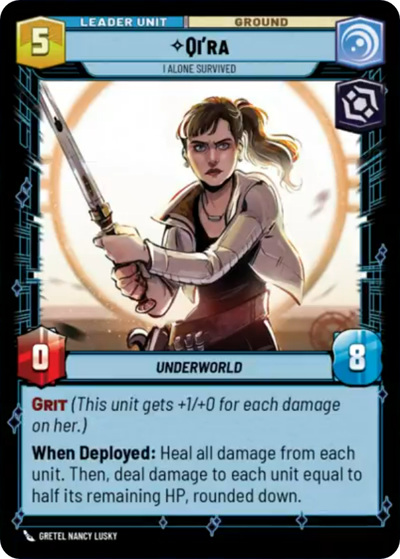
Qi'ra, I Alone Survived

Massassi Temple

Decklist


Try on ForceTable

Try on Karabast

Print Proxies

Export to TTS

Export to image

Ground units (30)

3 x
1
Hylobon Enforcer
3 x
2
Lobot, Cloud City Coordinator
3 x
2
Zam Wesell, Inconspicuous Assassin
3 x
3
Death Trooper
3 x
3
Fifth Brother, Fear Hunter
2 x
4
Cham Syndulla, Rallying Ryloth
3 x
4
Sly Moore, Witness To Power
3 x
5
Cad Bane, Impressed Now?
3 x
6
Anakin Skywalker, Champion of Mortis
3 x
9
Krayt Dragon

Space units (15)

3 x
4
IG-2000, Assassin's Aggressor
2 x
5
Devastating Gunship
3 x
6
Ruthless Raider
2 x
8
Devastator, Hunting the Rebellion
2 x
9
Avenger, Hunting Star Destroyer

Events (9)

2 x
5
No glory, only results
3 x
5
Topple The Summit
2 x
6
Planetary Bombardment

Upgrades (3)

2 x
1
Top Target

0 comments

You must be logged in to add comments.

Print Proxies

Here you can choose the format that the proxies should be printed in. Make sure to support your local game store!

Export to TTS

There are multiple ways to export to TTS. Here, we'll explain how they work and how you can use them.

1. Import as TTS object.

Download the JSON file using the following button. Place this file in your TTS Saved Objects folder. After this, you'll be able to spawn your deck in the Components UI.

Download saved object

2. Import within SWU mod.

Within some of the Star Wars Unlimited mods on TTS, you are able to import a deck by using the Deck Builder. You can import your deck by clicking on the buttom below to copy your json and then paste it in the Deck Builder to spawn your deck.

Copy to clipboard