Snoke double green
By Francois8975
Normal Deck
0
$20.51
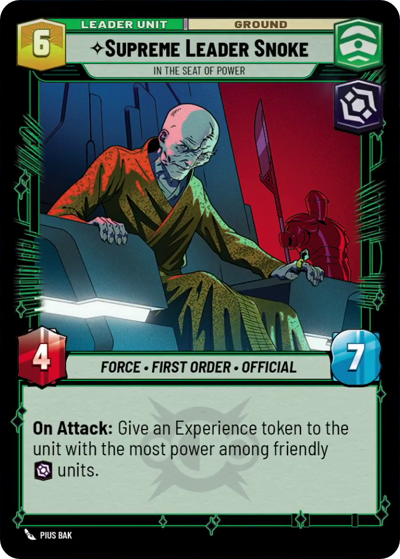)
Supreme Leader Snoke, In the Seat of Power
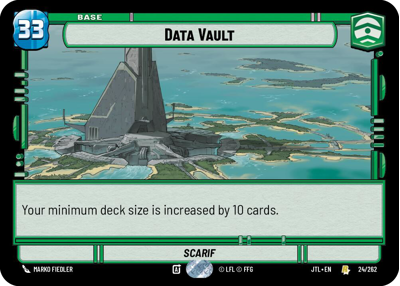)
Data Vault
Decklist
Ground units (57)
1 x


Corrupt Politician1
3 x
Supreme Council Aide1
2 x
Indoctrinated Conscript1
3 x
Gnk Power Droid2
3 x
Imperial Dark Trooper2
2 x
Jar Jar Binks, Mesa Propose...2
1 x
Vaneé, I live to serve2
3 x
Sith Assassin2
1 x
Sith Trooper3
2 x
Praetorian Guard3
1 x
Knight of Ren3
1 x
Chancellor Palpatine, I Am The Senate3
2 x
Vice Admiral Rampart, On Schedule4
2 x
Elia Kane, False Convert4
2 x
Chancellor Valorum, Civil Servant5
1 x
FN Trooper Corps5
1 x
Dedra Meero, With Verifiable Data6
1 x
Darth Nihilus, Lord Of Hunger7
1 x
Director Krennic, I Lose Nothing But Time9
Space units (33)
2 x
First Order TIE Fighter1
3 x
TIE Bomber2
2 x
Kijimi Patrollers2
2 x
Diplomatic Envoy2
1 x
Taylander Shuttle3
1 x
ISB Shuttle3
1 x
Victor Leader, Leading from the front3
1 x
Clone Combat Squadron4
1 x
Acclamator Assault Ship7
2 x
First Light, Threatening Elegance7
1 x
PreMor Personnel Carrier8
Events (18)
2 x
Contempt For Culture2
1 x
Last Words2
2 x
With Thunderous Applause3
2 x
Corporate Warmongering4
1 x
I am the Senate6
1 x
Let's Talk9
Upgrades (3)
1 x
Craving Power5
0 comments
You must be logged in to add comments.