Test Chancellor Palpatine - Green Data Vault
By carlos.fabio.nunez
Normal Deck
0
$63.38
)
Chancellor Palpatine, How Liberty Dies
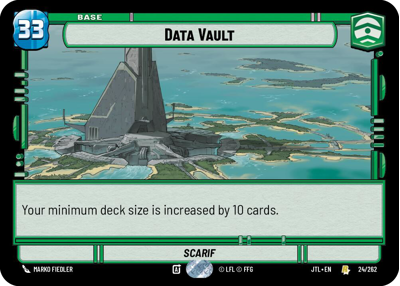)
Data Vault
Decklist
Ground units (42)
3 x


Imperial Door Technician1
3 x
Director Krennic, On the Verge of Greatness2
3 x

Imperial Dark Trooper2
2 x
Jar Jar Binks, Mesa Propose...2
3 x
Nightsister Warrior2
3 x
Chancellor Palpatine, I Am The Senate3
3 x
Expendable Mercenary4
2 x
Mas Amedda, Accomplice To Power4
2 x
Perimeter AT-RT4
3 x
Sly Moore, Witness To Power4
2 x
Cad Bane, Impressed Now?5
2 x
Dedra Meero, With Verifiable Data6
3 x
Dogmatic Shock Squad6
2 x
Director Krennic, I Lose Nothing But Time9
Space units (9)
3 x
First Light, Threatening Elegance7
2 x
Lawbringer, Shadow Over Lothal8
1 x
Annihilator, Tagge's Flagship11
Events (15)
1 x
Emergency Powers1
3 x
No glory, only results5
2 x
Nothing Left To Fear5
3 x
Lost And Forgotten6
2 x
Stockpile6
Upgrades (9)
3 x
Condemn3
2 x
Unveiled Might4
2 x
Craving Power5
0 comments
You must be logged in to add comments.