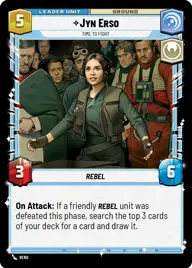
Jynleia

By Espinetetelamete

Normal Deck

0

$26.78

Jyn Erso, Time to Fight

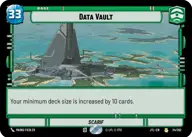
Data Vault

Decklist


Try on ForceTable

Try on Karabast

Print Proxies

Export to TTS

Export to image

Ground units (57)

3 x
1
Han Solo, Hibernation Sick
3 x
2
Bodhi Rook, Creating A Diversion
3 x
2
Lepi Lookout
2 x
2
Mina Bonteri, Stop This War
3 x
2
Gungi, Finding Himself
2 x
2
C-3P0, Translation Protocol
1 x
2
Partisan Infantry
2 x
3
Cinta Kaz, Stone Cold And Fearless
3 x
3
Maarva Andor, We've Been Sleeping
3 x
3
Latts Razzi, Deadly Whipmaster
3 x
4
Captain Typho, All Necessary Precautions
2 x
4
Chewbacca, Mighty Rescuer
2 x
4
Ezra Bridger, Spectre Six
3 x
5
Lando Calrissian, Eyes Open
3 x
5
Queen Amidala, Championing Her People
2 x
5
Rey, Keeping the Past
2 x
6
Captain Rex, Into The Firefight
2 x
7
Mon Mothma, Clinging To Hope
1 x
8
Rey, Skywalker

Space units (9)

3 x
3
Blue Leader, Scarif Air Support
2 x
3
Sabine's Masterpiece, Crazy Colorful
2 x
7
Tantive IV, Carrying Hope

Events (9)

2 x
1
Moment of Peace
2 x
2
Calm in the Storm
2 x
5
Vanquish

Upgrades (3)

2 x
2
Leia's Disguise

0 comments

You must be logged in to add comments.

Print Proxies

Here you can choose the format that the proxies should be printed in. Make sure to support your local game store!

Export to TTS

There are multiple ways to export to TTS. Here, we'll explain how they work and how you can use them.

1. Import as TTS object.

Download the JSON file using the following button. Place this file in your TTS Saved Objects folder. After this, you'll be able to spawn your deck in the Components UI.

Download saved object

2. Import within SWU mod.

Within some of the Star Wars Unlimited mods on TTS, you are able to import a deck by using the Deck Builder. You can import your deck by clicking on the buttom below to copy your json and then paste it in the Deck Builder to spawn your deck.

Copy to clipboard