(No force) Sith deck
By Anonymous
Standard Deck
0
$119.13
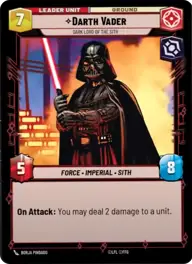
Darth Vader, Dark Lord of the Sith
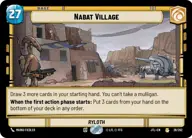
Nabat Village
Decklist
Ground units
3 x

HK-47, Exclamation: Die, Meatbag!3 x
Sith Trooper3 x
Darth Traya, Lord Of Betrayal2 x
Darth Maul, Revenge At Last3 x
Darth Malak, Covetous Apprentice2 x
Miraj Scintel, The Weak Deserve To Kneel2 x
Darth Nihilus, Lord Of HungerEvents
3 x
Shoot First3 x
Force Lightning3 x
Force Choke3 x
There Is No Escape3 x
Lightsaber Throw3 x
Flight of the Inquisitor3 x
No Disintegrations3 x
Evil Is Everywhere3 x
Death FieldUpgrades
2 x
Vader's Lightsaber2 x
Darth Revan's Lightsabers2 x
Fallen Lightsaber3 x
Shadowed Intentions3 x
Thermal Detonator3 x
Shadow Of Stygeon PrimeDescription
IDK, its a semi Aggro semi Control. (Maybe cause it's aggression/cunning) I've never lost with it, playing locally, it's the best deck I've made since I picked up the game a week ago.
Strategy, (that I use)
Use the heck out of Vader's ability, pair it with Traya and just kill everything that comes out with choke/lightning... There isn't any space units, but with Vader's ability, and Stygeon, it usually isn't a problem for me. I would probably put more control based stuff in if it is a problem.
Sideboard. I usually put Miraj, Nihilus, Sith trooper(or no disintegrations) and Thermal Detonator, but if you want to go for an "I damaged you onceso your basically dead," approach, bring them out. (I usually put Maul or Malak in their place)