SWARM!

By plasmasnake

Normal Deck

0

$29.06

Cassian Andor, Climb!

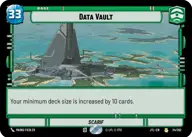
Data Vault

Decklist


Try on ForceTable

Try on Karabast

Print Proxies

Export to TTS

Export to image

Ground units (48)

3 x
2
Benthic "Two Tubes", The War Has Just Begun
3 x
2
Honor-Bound Partisan
3 x
2
Cloud-Rider Veteran
3 x
2
Jar Jar Binks, Mesa Propose...
3 x
2
Karis Nemik, Freedom Is A Pure Idea
3 x
2
Luke Skywalker, You still with me?
2 x
2
C-3P0, Translation Protocol
2 x
2
R2-D2, Part Of The Plan
3 x
3
Ahsoka Tano, I Learned It From You
3 x
3
Merrin, Alone with the dead
3 x
3
Valiant Commando
2 x
4
Cassian Andor, Everything For The Rebellion
2 x
5
General Draven, Doing What Must Be Done
2 x
5
Chewbacca, Faithful First Mate
3 x
5
Dressellian Commandos
3 x
6
Cinta Kaz, The Struggle Comes First

Space units (15)

3 x
2
Phoenix Squadron A-Wing
3 x
3
Blue Leader, Scarif Air Support
2 x
4
Naboo Royal Starship, Fit For A Queen
2 x
6
Defiant Hammerhead
2 x
6
Saw Gerrera's U-Wing, Breaking The Rules

Events (9)

3 x
3
Let's Call It War
2 x
4
Renewed Friendship
2 x
5
Timely Reinforcements

0 comments

You must be logged in to add comments.

Print Proxies

Here you can choose the format that the proxies should be printed in. Make sure to support your local game store!

Export to TTS

There are multiple ways to export to TTS. Here, we'll explain how they work and how you can use them.

1. Import as TTS object.

Download the JSON file using the following button. Place this file in your TTS Saved Objects folder. After this, you'll be able to spawn your deck in the Components UI.

Download saved object

2. Import within SWU mod.

Within some of the Star Wars Unlimited mods on TTS, you are able to import a deck by using the Deck Builder. You can import your deck by clicking on the buttom below to copy your json and then paste it in the Deck Builder to spawn your deck.

Copy to clipboard