Let go of your hate

By kvvv

Normal Deck

0

$50.38

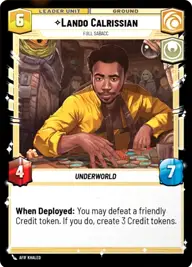
Lando Calrissian, Full Sabacc

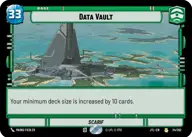
Data Vault

Decklist


Try on ForceTable

Try on Karabast

Print Proxies

Export to TTS

Export to image

Ground units (36)

3 x
2
Mina Bonteri, Stop This War
3 x
2
Gnk Power Droid
3 x
2
Jyn Erso, Take The Next Chance
3 x
3
Obi-Wan Kenobi, Protective Padawan
2 x
3
Lieutenant Gorn, I Deserve Worse
3 x
4
Captain Typho, All Necessary Precautions
3 x
5
Queen Amidala, Championing Her People
2 x
6
Depa Billaba, a Higher Purpose
3 x
7
Kelleran Beq, The Sabered Hand
3 x
7
Qui-Gon Jinn, The negotiations will be short
2 x
8
Rey, Skywalker
3 x
8
The Mandalorian, Cleaning Up Nevarro

Space units (15)

3 x
3
Blue Leader, Scarif Air Support
3 x
3
Millennium Falcon, Dodging Patrols
3 x
4
Blue Ace, Colorful Racer
3 x
8
Liberty, Draw Their Fire!
3 x
9
The Starhawk, Prototype Battleship

Events (12)

3 x
1
Unmarked Credits
3 x
1
Jam Communications
3 x
3
Beguile
3 x
6
Stockpile

0 comments

You must be logged in to add comments.

Print Proxies

Here you can choose the format that the proxies should be printed in. Make sure to support your local game store!

Export to TTS

There are multiple ways to export to TTS. Here, we'll explain how they work and how you can use them.

1. Import as TTS object.

Download the JSON file using the following button. Place this file in your TTS Saved Objects folder. After this, you'll be able to spawn your deck in the Components UI.

Download saved object

2. Import within SWU mod.

Within some of the Star Wars Unlimited mods on TTS, you are able to import a deck by using the Deck Builder. You can import your deck by clicking on the buttom below to copy your json and then paste it in the Deck Builder to spawn your deck.

Copy to clipboard