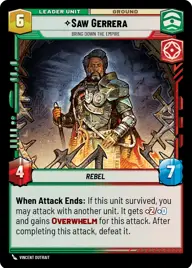
Saw Gerrera, Yellow

By Pr0to3

Normal Deck

0

$29.45

Saw Gerrera, Bring down the Empire

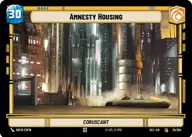
Amnesty Housing

Decklist


Try on ForceTable

Try on Karabast

Print Proxies

Export to TTS

Export to image

Ground units (45)

3 x
2
Haxion Aggressor
3 x
2
Jar Jar Binks, Mesa Propose...
2 x
2
Outer Rim Constable
3 x
2
Benthic "Two Tubes", The War Has Just Begun
3 x
2
Honor-Bound Partisan
2 x
3
Cikatro Vizago, Business Is What Matters
3 x
3
Contracted Hunter
3 x
3
Arvel Skeen, Win And Walk Away
3 x
4
Urrr'k, Elite Sharpshooter
3 x
4
Expendable Mercenary
1 x
4
Doctor Aphra, Digging For Answers
3 x
5
Maz Kanata, Where's My Boyfriend?
3 x
5
Guild Ambush Team
2 x
7
Ohnaka Gang Bandits
2 x
8
Krrsantan, Hit And Run

Space units (9)

1 x
3
Stolen AT-Hauler
3 x
4
Kimogila Heavy Fighter
1 x
5
The Legacy Run, Doomed Debris

Events (3)

3 x
3
Aggressive Negotiations

Upgrades (3)

3 x
3
Sudden Ferocity

0 comments

You must be logged in to add comments.

Print Proxies

Here you can choose the format that the proxies should be printed in. Make sure to support your local game store!

Export to TTS

There are multiple ways to export to TTS. Here, we'll explain how they work and how you can use them.

1. Import as TTS object.

Download the JSON file using the following button. Place this file in your TTS Saved Objects folder. After this, you'll be able to spawn your deck in the Components UI.

Download saved object

2. Import within SWU mod.

Within some of the Star Wars Unlimited mods on TTS, you are able to import a deck by using the Deck Builder. You can import your deck by clicking on the buttom below to copy your json and then paste it in the Deck Builder to spawn your deck.

Copy to clipboard