Qui-Gon Red 2.0

By murraymb602

Normal Deck

0

$14.61

Qui-Gon Jinn, Student of the Living Force
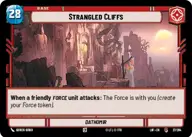
Strangled Cliffs

Decklist


Try on ForceTable

Try on Karabast

Print Proxies

Export to TTS

Export to image

Ground units (36)

3 x
2
Karis Nemik, Freedom Is A Pure Idea
3 x
2
Youngling Padawan
3 x
2
Adi Gallia, Stern and Focused
3 x
3
Merrin, Alone with the dead
3 x
3
Vernestra Rwoh, Precocious Knight
2 x
3
Jedi Knight
3 x
4
Ki-Adi-Mundi, We must push on
2 x
4
Qui-Gon Jinn, Influencing Chance
3 x
5
Guild Ambush Team
3 x
5
K-2S0, Locking The Vault
3 x
6
Cinta Kaz, The Struggle Comes First
3 x
7
Luke Skywalker, Profit Or Be Destroyed

Space units (6)

3 x
2
N-1 Starfighter
2 x
3
Ebon Hawk, Cause And Effect

Events (9)

2 x
1
Shien Flurry
3 x
3
Aggressive Negotiations
3 x
3
Beguile

Upgrades (3)

3 x
2
Qui-Gon Jinn's Lightsaber

0 comments

You must be logged in to add comments.

Print Proxies

Here you can choose the format that the proxies should be printed in. Make sure to support your local game store!

Export to TTS

There are multiple ways to export to TTS. Here, we'll explain how they work and how you can use them.

1. Import as TTS object.

Download the JSON file using the following button. Place this file in your TTS Saved Objects folder. After this, you'll be able to spawn your deck in the Components UI.

Download saved object

2. Import within SWU mod.

Within some of the Star Wars Unlimited mods on TTS, you are able to import a deck by using the Deck Builder. You can import your deck by clicking on the buttom below to copy your json and then paste it in the Deck Builder to spawn your deck.

Copy to clipboard