Dank farrik

By Javvvvv

Normal Deck

0

$56.33

Lando Calrissian, Full Sabacc

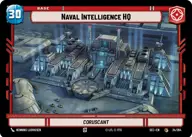
Naval Intelligence HQ

Decklist


Try on ForceTable

Try on Karabast

Print Proxies

Export to TTS

Export to image

Ground units (36)

3 x
1
Furtive Handmaiden
3 x
2
Karis Nemik, Freedom Is A Pure Idea
3 x
2
Bail Organa, Responding To Catastrophe
3 x
2
Cloud-Rider Veteran
2 x
2
Weazel, Fighting Back
3 x
3
Sabine Wren, Spectre Five
3 x
4
Ahsoka Tano, Chasing Whispers
2 x
5
K-2S0, Locking The Vault
3 x
7
Luke Skywalker, Profit Or Be Destroyed
2 x
7
Qui-Gon Jinn, The negotiations will be short
2 x
8
The Mandalorian, Cleaning Up Nevarro
1 x
9
Ben Solo, Facing The Light

Space units (15)

3 x
3
Sabine's Masterpiece, Crazy Colorful
3 x
4
B-Wing Skirmisher
3 x
4
Blue Ace, Colorful Racer
3 x
5
Tactical Heavy Bomber
2 x
8
Liberty, Draw Their Fire!

Events (6)

3 x
1
Commence Patrol
3 x
1
Jam Communications

0 comments

You must be logged in to add comments.

Print Proxies

Here you can choose the format that the proxies should be printed in. Make sure to support your local game store!

Export to TTS

There are multiple ways to export to TTS. Here, we'll explain how they work and how you can use them.

1. Import as TTS object.

Download the JSON file using the following button. Place this file in your TTS Saved Objects folder. After this, you'll be able to spawn your deck in the Components UI.

Download saved object

2. Import within SWU mod.

Within some of the Star Wars Unlimited mods on TTS, you are able to import a deck by using the Deck Builder. You can import your deck by clicking on the buttom below to copy your json and then paste it in the Deck Builder to spawn your deck.

Copy to clipboard