This is the way

By Anonymous

Normal Deck

0

$177.76

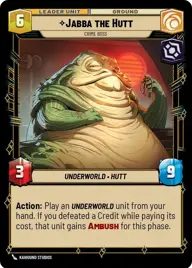
Jabba the Hutt, Crime Boss

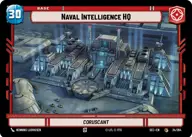
Naval Intelligence HQ

Decklist


Try on ForceTable

Try on Karabast

Print Proxies

Export to TTS

Export to image

Ground units (45)

3 x
1
Salacious Crumb, Cackling Companion
3 x
2
Bt-1, Blastomech
3 x
2
Interrogation Droid
3 x
2
Garindan, Information Broker
3 x
2
Aurra Sing, Patient and Deadly
3 x
3
Sullustan Sapper
3 x
3
0-0-0, Translation And Torture
3 x
3
Cikatro Vizago, Business Is What Matters
3 x
3
Nihil Marauder
3 x
3
Contracted Hunter
3 x
4
Doctor Aphra, Digging For Answers
3 x
5
Boba Fett, For A Price
3 x
6
Son-Tuul Berserkers
2 x
7
Jabba's Rancor, Snack Time!
3 x
8
Krrsantan, Hit And Run

Space units (15)

3 x
2
Black Sun Patroller
3 x
3
Vult Skerris's Defender, Secret Project
3 x
3
Stolen AT-Hauler
3 x
5
Broken Horn, Vizago's Pride
2 x
8
Devastator, Hunting the Rebellion

Events (6)

3 x
3
Collateral Damage
3 x
3
Aggressive Negotiations

Upgrades (3)

3 x
4
Shadow Of Stygeon Prime

0 comments

You must be logged in to add comments.

Print Proxies

Here you can choose the format that the proxies should be printed in. Make sure to support your local game store!

Export to TTS

There are multiple ways to export to TTS. Here, we'll explain how they work and how you can use them.

1. Import as TTS object.

Download the JSON file using the following button. Place this file in your TTS Saved Objects folder. After this, you'll be able to spawn your deck in the Components UI.

Download saved object

2. Import within SWU mod.

Within some of the Star Wars Unlimited mods on TTS, you are able to import a deck by using the Deck Builder. You can import your deck by clicking on the buttom below to copy your json and then paste it in the Deck Builder to spawn your deck.

Copy to clipboard