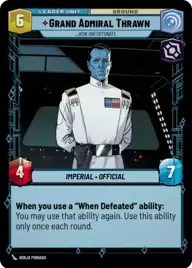
Thrawn Red Splash

By Levelup.exe

Normal Deck

0

$92.18

Grand Admiral Thrawn, How Unfortunate
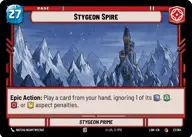
Stygeon Spire

Decklist


Try on ForceTable

Try on Karabast

Print Proxies

Export to TTS

Export to image

Ground units (18)

3 x
2
Director Krennic, On the Verge of Greatness
3 x
2
Nightsister Warrior
3 x
2
Imperial Occupier
3 x
2
Desperate Commando
3 x
4
Arihnda Pryce, On The Road To Power
2 x
5
Darth Sion, Lord Of Pain

Space units (18)

3 x
2
Cavern Angels X-Wing
3 x
3
Droid Missile Platform
3 x
4
Shuttle ST-149, Under Krennic's Authority
3 x
5
The Legacy Run, Doomed Debris
3 x
6
Chimaera, Reinforcing the Center
3 x
8
Devastator, Hunting the Rebellion

Events (12)

2 x
1
Flash The Vents
2 x
3
Aggressive Negotiations
3 x
5
No glory, only results
2 x
7
Hyperspace Disaster

Upgrades (9)

2 x
3
Condemn
2 x
3
Creditor's Claim
2 x
3
Sudden Ferocity

0 comments

You must be logged in to add comments.

Print Proxies

Here you can choose the format that the proxies should be printed in. Make sure to support your local game store!

Export to TTS

There are multiple ways to export to TTS. Here, we'll explain how they work and how you can use them.

1. Import as TTS object.

Download the JSON file using the following button. Place this file in your TTS Saved Objects folder. After this, you'll be able to spawn your deck in the Components UI.

Download saved object

2. Import within SWU mod.

Within some of the Star Wars Unlimited mods on TTS, you are able to import a deck by using the Deck Builder. You can import your deck by clicking on the buttom below to copy your json and then paste it in the Deck Builder to spawn your deck.

Copy to clipboard