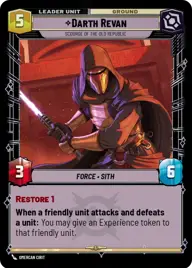
Revan Take 2

By DayBoost_

Normal Deck

0

$59.35

Darth Revan, Scourge of the Old Republic
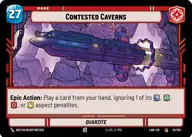
Contested Caverns

Decklist


Try on ForceTable

Try on Karabast

Print Proxies

Export to TTS

Export to image

Ground units (36)

2 x
1
Indoctrinated Conscript
2 x
1
Rookie Rocket-Jumper
3 x
2
HK-47, Exclamation: Die, Meatbag!
3 x
2
Trayus Acolyte
2 x
2
Sith Legionnaire
2 x
2
Follower Of The Code
1 x
2
Sith Assassin
1 x
2
Bt-1, Blastomech
2 x
3
Hunting Assassin Droid
2 x
3
Fallen Jedi
2 x
3
0-0-0, Translation And Torture
1 x
5
Darth Malak, Covetous Apprentice

Space units (21)

2 x
1
Forged Starfighter
2 x
2
Kijimi Patrollers
1 x
3
Ebon Hawk, Cause And Effect
1 x
3
Republic Aurek Starfighter
1 x
4
TIE Ambush Squadron
1 x
6
Crucible, Centuries Of Wisdom
2 x
6
Quasar TIE Carrier

Events (30)

1 x
0
Salvage
2 x
1
Tandem Assault
1 x
1
Putting A Team Together
1 x
1
Attack Run
1 x
1
Accelerate Our Plans
1 x
2
Kreia's Whispers
2 x
2
Reconnaissance
1 x
2
Flight of the Inquisitor
1 x
3
Let's Call It War
1 x
3
Collateral Damage

Upgrades (6)

3 x
2
Darth Revan's Lightsabers
2 x
2
Corrupted Saber

0 comments

You must be logged in to add comments.

Print Proxies

Here you can choose the format that the proxies should be printed in. Make sure to support your local game store!

Export to TTS

There are multiple ways to export to TTS. Here, we'll explain how they work and how you can use them.

1. Import as TTS object.

Download the JSON file using the following button. Place this file in your TTS Saved Objects folder. After this, you'll be able to spawn your deck in the Components UI.

Download saved object

2. Import within SWU mod.

Within some of the Star Wars Unlimited mods on TTS, you are able to import a deck by using the Deck Builder. You can import your deck by clicking on the buttom below to copy your json and then paste it in the Deck Builder to spawn your deck.

Copy to clipboard