Knowledge and Defense

By Anonymous

Normal Deck

0

$32.79

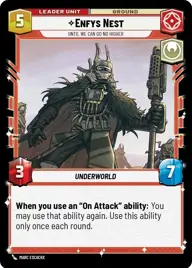
Enfys Nest, Until we can go no higher
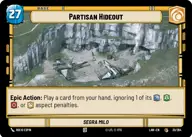
Partisan Hideout

Decklist


Try on ForceTable

Try on Karabast

Print Proxies

Export to TTS

Export to image

Ground units (33)

3 x
2
Weazel, Fighting Back
3 x
2
Cloud-Rider Veteran
3 x
2
Kuil, I have spoken
3 x
2
Jedha Agitator
3 x
2
Cloud-Rider
3 x
3
Coruscant Dissident
3 x
5
Zorii Bliss, Valiant Smuggler
1 x
6
Enfys Nest, Marauder
2 x
7
Synara San, Harboring A Secret
2 x
7
Enfys Nest, Champion of Justice
2 x
7
Fennec Shand, Loyal Sharpshooter

Space units (12)

2 x
4
Valiant Assault Ship
2 x
4
Medical Frigate
2 x
5
Punishing One, Takes No Prisoners
1 x
6
Aerie, Cloud-Rider Dropship

Events (9)

2 x
1
Ma Klounkee
1 x
2
Shoot Down
2 x
2
Grim Resolve

Upgrades (15)

2 x
2
Armed to the Teeth
2 x
2
Enfys Nest's Helmet
2 x
2
Ascension Cable
2 x
2
On Top of Things
2 x
3
Vambrace Flamethrower

0 comments

You must be logged in to add comments.

Print Proxies

Here you can choose the format that the proxies should be printed in. Make sure to support your local game store!

Export to TTS

There are multiple ways to export to TTS. Here, we'll explain how they work and how you can use them.

1. Import as TTS object.

Download the JSON file using the following button. Place this file in your TTS Saved Objects folder. After this, you'll be able to spawn your deck in the Components UI.

Download saved object

2. Import within SWU mod.

Within some of the Star Wars Unlimited mods on TTS, you are able to import a deck by using the Deck Builder. You can import your deck by clicking on the buttom below to copy your json and then paste it in the Deck Builder to spawn your deck.

Copy to clipboard