Lowcost

By Anonymous

Normal Deck

0

$10.88

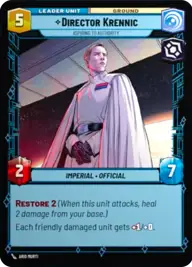
Director Krennic, Aspiring to Authority
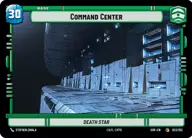
Command Center

Decklist


Try on ForceTable

Try on Karabast

Print Proxies

Export to TTS

Export to image

Ground units (69)

1 x
1
2-1B Surgical Droid
1 x
1
Vanguard Infantry
1 x
2
Viper Probe Droid
1 x
2
Seasoned Shoretrooper
3 x
2
Scout Bike Pursuer
2 x
2
Underworld Thug
1 x
2
Snowtrooper Lieutenant
1 x
3
Cloud City Wing Guard
1 x
3
Cell Block Guard
3 x
3
Superlaser Technician
1 x
3
Death Trooper
2 x
3
Homestead Militia
2 x
4
Escort Skiff
1 x
5
Steadfast Battalion
1 x
5
Agent Kallus, Seeking the Rebels
2 x
5
Rugged Survivors
1 x
6
AT-ST
1 x
6
Academy Defense Walker
1 x
6
Mercenary Company
1 x
6
Cargo Juggernaut
2 x
7
97th Legion, Keeping the Peace on Sullust
2 x
8
AT-AT Suppressor
2 x
8
Reinforcement Walker

Space units (18)

1 x
2
Distant Patroller
1 x
2
Patrolling V-Wing
1 x
3
Consortium StarViper
1 x
4
TIE Advanced
1 x
4
System Patrol Craft
2 x
6
Gladiator Star Destroyer

Events (21)

3 x
3
Resupply
1 x
3
Strike True
1 x
4
Takedown
1 x
4
Maximum Firepower
1 x
5
Vanquish
1 x
5
Overwhelming Barrage
1 x
8
Superlaser Blast

0 comments

You must be logged in to add comments.

Print Proxies

Here you can choose the format that the proxies should be printed in. Make sure to support your local game store!

Export to TTS

There are multiple ways to export to TTS. Here, we'll explain how they work and how you can use them.

1. Import as TTS object.

Download the JSON file using the following button. Place this file in your TTS Saved Objects folder. After this, you'll be able to spawn your deck in the Components UI.

Download saved object

2. Import within SWU mod.

Within some of the Star Wars Unlimited mods on TTS, you are able to import a deck by using the Deck Builder. You can import your deck by clicking on the buttom below to copy your json and then paste it in the Deck Builder to spawn your deck.

Copy to clipboard