Boba Green my

By Thorgal1975

Normal Deck

1

$7.25

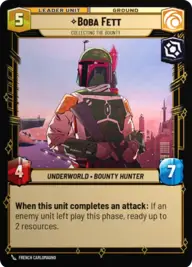
Boba Fett, Collecting the bounty

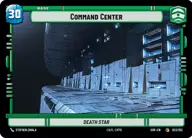
Command Center

Decklist


Try on ForceTable

Try on Karabast

Print Proxies

Export to TTS

Export to image

Ground units (45)

1 x
1
Greedo, Slow on the Draw
2 x
1
Jawa Scavenger
2 x
2
Seasoned Shoretrooper
1 x
2
Bib Fortuna, Jabba's Majordomo
3 x
3
Superlaser Technician
2 x
3
Swoop Racer
1 x
4
Gamorrean Guards
2 x
4
Frontier AT-RT
1 x
5
Bossk, Deadly Stalker
2 x
5
Syndicate Lackeys
2 x
5
Steadfast Battalion
1 x
6
AT-ST
2 x
6
Bounty Hunter Crew
2 x
6
Mercenary Company
2 x
8
Blizzard Assault AT-AT

Space units (21)

1 x
2
Outer Rim Headhunter
1 x
2
Pirated Starfighter
1 x
3
Consortium StarViper
2 x
3
Seventh Fleet Defender
1 x
6
Gladiator Star Destroyer
1 x
6
Fett's Firespray, Pursuing the Bounty
1 x
9
Relentless

Events (24)

1 x
1
Shoot First
2 x
1
Disarm
3 x
2
Asteroid Sanctuary
1 x
2
No Good to Me Dead
1 x
2
The Emperor's Legion
2 x
3
Resupply
1 x
3
Strike True
2 x
5
Overwhelming Barrage

Upgrades (9)

1 x
1
Snapshot Reflexes
1 x
2
Hardpoint Heavy Blaster
1 x
2
Academy Training

0 comments

You must be logged in to add comments.

Print Proxies

Here you can choose the format that the proxies should be printed in. Make sure to support your local game store!

Export to TTS

There are multiple ways to export to TTS. Here, we'll explain how they work and how you can use them.

1. Import as TTS object.

Download the JSON file using the following button. Place this file in your TTS Saved Objects folder. After this, you'll be able to spawn your deck in the Components UI.

Download saved object

2. Import within SWU mod.

Within some of the Star Wars Unlimited mods on TTS, you are able to import a deck by using the Deck Builder. You can import your deck by clicking on the buttom below to copy your json and then paste it in the Deck Builder to spawn your deck.

Copy to clipboard