Congratulations. You are being rescued

By Anonymous

Normal Deck

0

$32.60

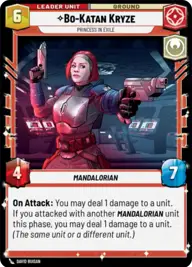
Bo-Katan Kryze, Princess in Exile

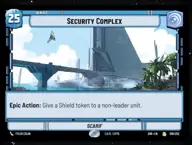
Security Complex

Decklist


Try on ForceTable

Try on Karabast

Print Proxies

Export to TTS

Export to image

Ground units (60)

3 x
1
Clone Deserter
3 x
2
Grogu, Irresistible
3 x
2
Privateer Crew
3 x
2
Pyke Sentinel
3 x
2
Follower of The Way
3 x
2
Ketsu Onyo, Old Friend
3 x
2
L3-37, Droid Revolutionary
3 x
2
Omega, Part of the Squad
3 x
3
Phase-III Dark Trooper
3 x
3
Nite Owl Skirmisher
3 x
3
Tech, Source of Insight
3 x
3
Reputable Hunter
3 x
3
Death Watch Loyalist
3 x
4
Crosshair, Following Orders
3 x
4
Echo, Restored
3 x
4
Koska Reeves, Loyal Nite Owl
3 x
5
IG-11, I cannot be captured
3 x
5
Clan Challengers
3 x
6
Gentle Giant
3 x
6
Covetous Rivals

Space units (9)

3 x
4
Razor Crest, Reliable Gunship
3 x
5
Vigilant Pursuit Craft
3 x
7
First Light, Headquarters of the Crimson Dawn

Events (9)

3 x
1
Timely Intervention
3 x
2
This Is The Way
3 x
3
Spare the Target

Upgrades (9)

3 x
1
Hotshot DL-44 Blaster
3 x
1
Ruthlessness
3 x
3
The Mandalorian's Rifle

0 comments

You must be logged in to add comments.

Print Proxies

Here you can choose the format that the proxies should be printed in. Make sure to support your local game store!

Export to TTS

There are multiple ways to export to TTS. Here, we'll explain how they work and how you can use them.

1. Import as TTS object.

Download the JSON file using the following button. Place this file in your TTS Saved Objects folder. After this, you'll be able to spawn your deck in the Components UI.

Download saved object

2. Import within SWU mod.

Within some of the Star Wars Unlimited mods on TTS, you are able to import a deck by using the Deck Builder. You can import your deck by clicking on the buttom below to copy your json and then paste it in the Deck Builder to spawn your deck.

Copy to clipboard