This is the way

By sudvicious

Normal Deck

0

$32.28

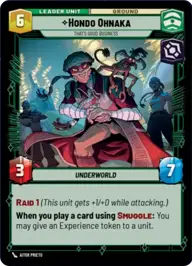
Hondo Ohnaka, That's Good Business

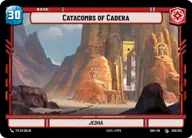
Catacombs of Cadera

Decklist


Try on ForceTable

Try on Karabast

Print Proxies

Export to TTS

Export to image

Ground units (30)

2 x
1
Salacious Crumb, Obnoxious Pet
2 x
2
Privateer Crew
2 x
2
Incinerator Trooper
1 x
2
Scanning Officer
2 x
3
Warbird Stowaway
2 x
3
Toro Calican, Ambitious Upstart
2 x
4
Weequay Pirate Gang
2 x
6
Pirate Battle Tank
2 x
6
Wild Rancor
2 x
7
Maul, Shadow Collective Visionary

Space units (21)

2 x
2
Collections Starhopper
2 x
2
Outland TIE Vanguard
1 x
3
Outlaw Corona
2 x
3
Twin Pod Cloud Car
2 x
3
Black Sun Starfighter
2 x
4
Kihraxz Heavy Fighter
2 x
8
Arquitens Assault Cruiser

Events (24)

2 x
1
Timely Intervention
2 x
1
Commission
2 x
1
Outflank
2 x
1
Daring Raid
2 x
3
Take Captive
2 x
3
Detention Block Rescue
1 x
4
Pillage
2 x
6
Palpatine's Return

Upgrades (6)

3 x
1
Hotshot DL-44 Blaster
1 x
2
Legal Authority

0 comments

You must be logged in to add comments.

Print Proxies

Here you can choose the format that the proxies should be printed in. Make sure to support your local game store!

Export to TTS

There are multiple ways to export to TTS. Here, we'll explain how they work and how you can use them.

1. Import as TTS object.

Download the JSON file using the following button. Place this file in your TTS Saved Objects folder. After this, you'll be able to spawn your deck in the Components UI.

Download saved object

2. Import within SWU mod.

Within some of the Star Wars Unlimited mods on TTS, you are able to import a deck by using the Deck Builder. You can import your deck by clicking on the buttom below to copy your json and then paste it in the Deck Builder to spawn your deck.

Copy to clipboard