Double or Nothing

By Granticus

Normal Deck

0

$14.19

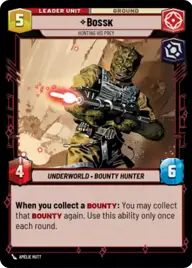
Bossk, Hunting His Prey

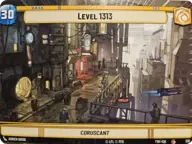
Level 1313

Decklist


Try on ForceTable

Try on Karabast

Print Proxies

Export to TTS

Export to image

Ground units (30)

3 x
1
Dengar, The Demolisher
3 x
1
Greedo, Slow on the Draw
2 x
1
Criminal Muscle
3 x
1
Lady Proxima, White Worm Matriarch
2 x
2
Doctor Evazan, Wanted on Twelve Systems
2 x
3
Toro Calican, Ambitious Upstart
2 x
4
Jango Fett, Renowned Bounty Hunter
2 x
4
Dengar, Crude and Slovenly
2 x
5
Krrsantan, Muscle for Hire
2 x
5
Boba Fett, Feared Bounty Hunter

Space units (15)

2 x
2
Unlicensed Headhunter
2 x
2
Outer Rim Headhunter
3 x
3
Punishing One, Dengar's Jumpmaster
3 x
3
Mist Hunter, The Findsman's Pursuit
2 x
6
Fett's Firespray, Pursuing the Bounty

Events (12)

3 x
1
Shoot First
3 x
1
Ma Klounkee
2 x
1
Fight Fire with Fire
1 x
2
Stay on Target

Upgrades (18)

3 x
0
Guild Target
3 x
0
Wanted
2 x
1
Ruthlessness
1 x
1
Hotshot DL-44 Blaster
3 x
2
Death Mark
2 x
3
Vambrace Flamethrower

0 comments

You must be logged in to add comments.

Print Proxies

Here you can choose the format that the proxies should be printed in. Make sure to support your local game store!

Export to TTS

There are multiple ways to export to TTS. Here, we'll explain how they work and how you can use them.

1. Import as TTS object.

Download the JSON file using the following button. Place this file in your TTS Saved Objects folder. After this, you'll be able to spawn your deck in the Components UI.

Download saved object

2. Import within SWU mod.

Within some of the Star Wars Unlimited mods on TTS, you are able to import a deck by using the Deck Builder. You can import your deck by clicking on the buttom below to copy your json and then paste it in the Deck Builder to spawn your deck.

Copy to clipboard