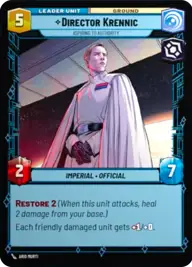
Krennic, Yellow

By Greyjedi54

Normal Deck

0

$7.68

Director Krennic, Aspiring to Authority
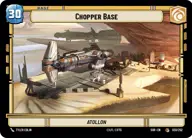
Chopper Base

Decklist


Try on ForceTable

Try on Karabast

Print Proxies

Export to TTS

Export to image

Ground units (48)

1 x
1
2-1B Surgical Droid
3 x
2
Snowtrooper Lieutenant
1 x
2
Crafty Smuggler
2 x
2
Viper Probe Droid
2 x
2
Admiral Motti
3 x
3
Cell Block Guard
1 x
3
General Veers, Blizzard Force Commander
2 x
3
Death Trooper
2 x
3
Cloud City Wing Guard
1 x
3
Volunteer Soldier
1 x
4
Niima Outpost Constables
1 x
5
Rugged Survivors
2 x
6
AT-ST
1 x
6
Bounty Hunter Crew
1 x
6
Cargo Juggernaut
1 x
8
AT-AT Suppressor

Space units (18)

2 x
1
TIE/ln Fighter
1 x
1
Mining Guid TIE Fighter
1 x
2
Rickety Quadjumper
1 x
3
Seventh Fleet Defender
3 x
4
System Patrol Craft
1 x
4
TIE Advanced

Events (24)

1 x
1
Repair
2 x
1
Shoot First
1 x
2
Asteroid Sanctuary
1 x
3
Waylay
2 x
4
Maximum Firepower
2 x
4
Fell the Dragon
2 x
5
Vanquish
1 x
6
Change of Heart

Upgrades (12)

1 x
1
Resilient
1 x
1
Snapshot Reflexes
1 x
1
Protector
1 x
2
Vambrace Grappleshot

0 comments

You must be logged in to add comments.

Print Proxies

Here you can choose the format that the proxies should be printed in. Make sure to support your local game store!

Export to TTS

There are multiple ways to export to TTS. Here, we'll explain how they work and how you can use them.

1. Import as TTS object.

Download the JSON file using the following button. Place this file in your TTS Saved Objects folder. After this, you'll be able to spawn your deck in the Components UI.

Download saved object

2. Import within SWU mod.

Within some of the Star Wars Unlimited mods on TTS, you are able to import a deck by using the Deck Builder. You can import your deck by clicking on the buttom below to copy your json and then paste it in the Deck Builder to spawn your deck.

Copy to clipboard