I’m a big deal in the resistance

By ALazyPandaman

Normal Deck

0

$38.33

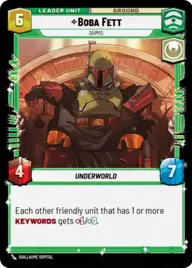
Boba Fett, Daimyo

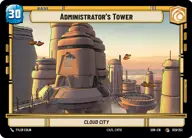
Administrator's Tower

Decklist


Try on ForceTable

Try on Karabast

Print Proxies

Export to TTS

Export to image

Ground units (27)

2 x
1
Greedo, Slow on the Draw
2 x
1
Vanguard Infantry
2 x
1
Alliance Dispatcher
2 x
1
Maz Kanata, Pirate Queen
3 x
3
Ezra Bridger, Resourceful Troublemaker
2 x
3
Cobb Vanth, The Marshal
2 x
4
Gamorrean Guards
3 x
4
Modded Cohort
2 x
7
Han Solo

Space units (21)

2 x
2
Grey Squadron Y-Wing
2 x
2
Frontline Shuttle
2 x
2
Vanguard Ace
2 x
3
Millennium Falcon Piece of Junk
2 x
4
Auzituck Liberator Gunship
2 x
5
The Marauder, Shuttling the Bad Batch
2 x
8
Arquitens Assault Cruiser

Events (12)

2 x
1
Shoot First
2 x
2
Surprise Strike
2 x
3
Moment of Glory
2 x
3
Resupply

Upgrades (12)

2 x
1
Bounty Hunter's Quarry
2 x
1
Snapshot Reflexes
2 x
2
Hardpoint Heavy Blaster
2 x
2
Inspiring Mentor

0 comments

You must be logged in to add comments.

Print Proxies

Here you can choose the format that the proxies should be printed in. Make sure to support your local game store!

Export to TTS

There are multiple ways to export to TTS. Here, we'll explain how they work and how you can use them.

1. Import as TTS object.

Download the JSON file using the following button. Place this file in your TTS Saved Objects folder. After this, you'll be able to spawn your deck in the Components UI.

Download saved object

2. Import within SWU mod.

Within some of the Star Wars Unlimited mods on TTS, you are able to import a deck by using the Deck Builder. You can import your deck by clicking on the buttom below to copy your json and then paste it in the Deck Builder to spawn your deck.

Copy to clipboard