Qi'Ra AP

By just_az

Normal Deck

1

$13.49

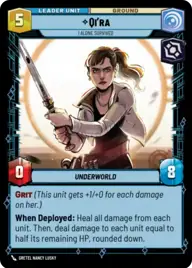
Qi'ra, I Alone Survived

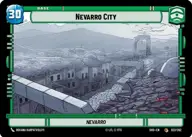
Nevarro City

Decklist


Try on ForceTable

Try on Karabast

Print Proxies

Export to TTS

Export to image

Ground units (39)

1 x
1
Salacious Crumb, Obnoxious Pet
3 x
1
Hylobon Enforcer
3 x
1
2-1B Surgical Droid
1 x
2
Doctor Pershing, Experimenting with Life
3 x
2
Pyke Sentinel
2 x
3
Embo, Stoic and Resolute
3 x
3
Superlaser Technician
1 x
3
The Client, Dictated by Discretion
2 x
4
Lieutenant Childsen
3 x
6
Cargo Juggernaut
2 x
6
Fenn Rau, Protector of Concord Dawn
1 x
8
AT-AT Suppressor
1 x
8
Blizzard Assault AT-AT

Space units (15)

2 x
3
Black Sun Starfighter
3 x
3
Consortium StarViper
2 x
6
Gladiator Star Destroyer
2 x
6
Clan Saxon Gauntlet
1 x
8
Arquitens Assault Cruiser

Events (21)

2 x
1
Timely Intervention
1 x
2
Midnight Repairs
2 x
3
Make An Opening
3 x
3
Resupply
1 x
4
Fell the Dragon
1 x
5
Vanquish
1 x
6
Palpatine's Return

Upgrades (9)

1 x
2
Devotion
1 x
2
Entrenched
1 x
4
The Darksaber

0 comments

You must be logged in to add comments.

Print Proxies

Here you can choose the format that the proxies should be printed in. Make sure to support your local game store!

Export to TTS

There are multiple ways to export to TTS. Here, we'll explain how they work and how you can use them.

1. Import as TTS object.

Download the JSON file using the following button. Place this file in your TTS Saved Objects folder. After this, you'll be able to spawn your deck in the Components UI.

Download saved object

2. Import within SWU mod.

Within some of the Star Wars Unlimited mods on TTS, you are able to import a deck by using the Deck Builder. You can import your deck by clicking on the buttom below to copy your json and then paste it in the Deck Builder to spawn your deck.

Copy to clipboard