test

By Anonymous

Normal Deck

0

$20.30

Cassian Andor, Dedicated to the Rebellion
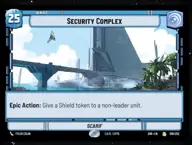
Security Complex

Decklist


Try on ForceTable

Try on Karabast

Print Proxies

Export to TTS

Export to image

Ground units (54)

1 x
1
Vanguard Infantry
1 x
1
Jawa Scavenger
1 x
2
Mon Mothma, Voice of the Rebellion
3 x
2
Rebel Pathfinder
1 x
3
Del Meeko, Providing Overwatch
1 x
3
Echo Base Defender
3 x
3
Volunteer Soldier
3 x
3
Fleet Lieutenant
3 x
4
General Dodonna, Massassi Group Commander
1 x
5
Seventh Sister, Implacable Inquisitor
1 x
5
Zeb Orrelios, Headstrong Warrior
3 x
5
Snowspeeder
1 x
6
Cargo Juggernaut
1 x
6
Rogue Squadron Skirmisher
1 x
6
Mercenary Company
1 x
6
Bounty Hunter Crew
1 x
7
Darth Vader, Commanding the First Legion
1 x
8
AT-AT Suppressor

Space units (9)

1 x
2
Inferno Four, Unforgetting
1 x
2
Pirated Starfighter
3 x
3
Wing Leader

Events (30)

3 x
0
Medal Ceremony
1 x
1
Moment of Peace
1 x
1
Heroic Sacrifice
1 x
1
Force Throw
1 x
2
Power Failure
1 x
3
Make An Opening
1 x
3
Strike True
3 x
3
You're my only hope
3 x
4
Maximum Firepower
1 x
7
Galactic Ambition

Upgrades (3)

1 x
2
Devotion

0 comments

You must be logged in to add comments.

Print Proxies

Here you can choose the format that the proxies should be printed in. Make sure to support your local game store!

Export to TTS

There are multiple ways to export to TTS. Here, we'll explain how they work and how you can use them.

1. Import as TTS object.

Download the JSON file using the following button. Place this file in your TTS Saved Objects folder. After this, you'll be able to spawn your deck in the Components UI.

Download saved object

2. Import within SWU mod.

Within some of the Star Wars Unlimited mods on TTS, you are able to import a deck by using the Deck Builder. You can import your deck by clicking on the buttom below to copy your json and then paste it in the Deck Builder to spawn your deck.

Copy to clipboard