Congratulations. You are being rescued

By PolleyPokket

Normal Deck

0

$16.49

Han Solo, Worth the Risk

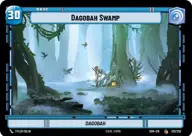
Dagobah Swamp

Decklist


Try on ForceTable

Try on Karabast

Print Proxies

Export to TTS

Export to image

Ground units (36)

2 x
2
Sabine Wren, Explosives Artist
2 x
2
Heroic Renegade
2 x
3
Nite Owl Skirmisher
3 x
3
Wroshyr Tree Tender
2 x
4
Kanan Jarrus, Revealed Jedi
3 x
4
Wookiee Warrior
2 x
5
Zeb Orrelios, Headstrong Warrior
2 x
5
IG-11, I cannot be captured
3 x
6
Gentle Giant
3 x
7
Tarfful, Kashyyyk Chieftain
3 x
8
Chewbacca, Pykesbane
1 x
9
Krayt Dragon

Space units (18)

2 x
3
Disabling Fang Fighter
1 x
3
Star Wing Scout
2 x
4
Razor Crest, Reliable Gunship
1 x
5
Desperado Freighter
2 x
6
The Ghost, Spectre Home Base
1 x
8
Redemption, Medical Frigate

Events (15)

3 x
1
Desperate Attack
3 x
2
Karabast
3 x
4
Takedown
1 x
5
Bravado
1 x
6
Rival's Fall

Upgrades (3)

2 x
2
Electrostaff

0 comments

You must be logged in to add comments.

Print Proxies

Here you can choose the format that the proxies should be printed in. Make sure to support your local game store!

Export to TTS

There are multiple ways to export to TTS. Here, we'll explain how they work and how you can use them.

1. Import as TTS object.

Download the JSON file using the following button. Place this file in your TTS Saved Objects folder. After this, you'll be able to spawn your deck in the Components UI.

Download saved object

2. Import within SWU mod.

Within some of the Star Wars Unlimited mods on TTS, you are able to import a deck by using the Deck Builder. You can import your deck by clicking on the buttom below to copy your json and then paste it in the Deck Builder to spawn your deck.

Copy to clipboard