Maul

By Seregil

Normal Deck

1

$27.75

Maul, A rival in darkness

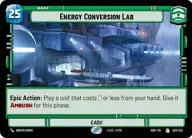
Energy Conversion Lab

Decklist


Try on ForceTable

Try on Karabast

Print Proxies

Export to TTS

Export to image

Ground units (33)

3 x
1
Death Star Stormtrooper
3 x
1
Salacious Crumb, Obnoxious Pet
3 x
2
OOM-Series Officer
3 x
3
Superlaser Technician
2 x
3
Fifth Brother, Fear Hunter
3 x
5
Seventh Sister, Implacable Inquisitor
2 x
5
Ephant Mon, Head of Security
2 x
6
Kit Fisto, The Smiling Jedi
2 x
6
Kragan Gorr, Warbird Captain
3 x
7
Maul, Shadow Collective Visionary
2 x
7
Savage Opress, Monster

Space units (12)

3 x
3
Consortium StarViper
3 x
3
Droid Missile Platform
1 x
6
Shadow Caster, Just Business
3 x
8
Arquitens Assault Cruiser

Events (15)

2 x
1
Timely Intervention
3 x
3
Resupply
2 x
4
Death Field
3 x
5
Overwhelming Barrage
2 x
6
Palpatine's Return

Upgrades (3)

2 x
1
Sith Holocron

0 comments

You must be logged in to add comments.

Print Proxies

Here you can choose the format that the proxies should be printed in. Make sure to support your local game store!

Export to TTS

There are multiple ways to export to TTS. Here, we'll explain how they work and how you can use them.

1. Import as TTS object.

Download the JSON file using the following button. Place this file in your TTS Saved Objects folder. After this, you'll be able to spawn your deck in the Components UI.

Download saved object

2. Import within SWU mod.

Within some of the Star Wars Unlimited mods on TTS, you are able to import a deck by using the Deck Builder. You can import your deck by clicking on the buttom below to copy your json and then paste it in the Deck Builder to spawn your deck.

Copy to clipboard