GS1

By Fd17

Normal Deck

0

$13.07

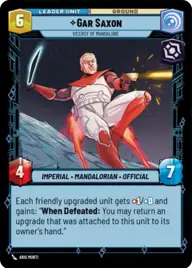
Gar Saxon, Viceroy of Mandalore

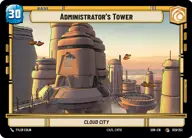
Administrator's Tower

Decklist


Try on ForceTable

Try on Karabast

Print Proxies

Export to TTS

Export to image

Ground units (39)

2 x
1
Greedo, Slow on the Draw
2 x
1
Moisture Farmer
2 x
2
Crafty Smuggler
2 x
2
Doctor Evazan, Wanted on Twelve Systems
2 x
2
Follower of The Way
2 x
3
Cell Block Guard
2 x
3
Wilderness Fighter
2 x
3
The Client, Dictated by Discretion
2 x
4
Lieutenant Childsen
1 x
4
Lom Pyke, Dealer in Truths
2 x
5
Gideon Hask, Ruthless Loyalist
2 x
5
Supercommando Squad
1 x
7
Count Dooku, Darth Tyrannus

Space units (18)

2 x
1
TIE/ln Fighter
2 x
2
Outer Rim Headhunter
2 x
2
Rickety Quadjumper
3 x
3
Seventh Fleet Defender
3 x
3
Lurking TIE Phantom
2 x
4
TIE Advanced

Events (18)

1 x
1
Moment of Peace
2 x
1
Covert Strength
2 x
2
Surprise Strike
2 x
2
Asteroid Sanctuary
2 x
2
No Good to Me Dead
2 x
4
Takedown

Upgrades (21)

1 x
1
Resilient
2 x
1
Snapshot Reflexes
2 x
1
Foundling
2 x
1
Rich Reward
1 x
2
Entrenched
2 x
2
Devotion
1 x
2
Electrostaff

0 comments

You must be logged in to add comments.

Print Proxies

Here you can choose the format that the proxies should be printed in. Make sure to support your local game store!

Export to TTS

There are multiple ways to export to TTS. Here, we'll explain how they work and how you can use them.

1. Import as TTS object.

Download the JSON file using the following button. Place this file in your TTS Saved Objects folder. After this, you'll be able to spawn your deck in the Components UI.

Download saved object

2. Import within SWU mod.

Within some of the Star Wars Unlimited mods on TTS, you are able to import a deck by using the Deck Builder. You can import your deck by clicking on the buttom below to copy your json and then paste it in the Deck Builder to spawn your deck.

Copy to clipboard