This is the way

By Anonymous

Normal Deck

0

$13.77

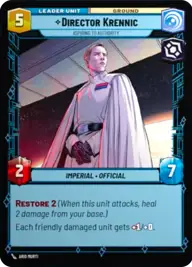
Director Krennic, Aspiring to Authority
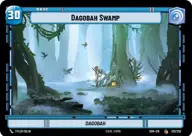
Dagobah Swamp

Decklist


Try on ForceTable

Try on Karabast

Print Proxies

Export to TTS

Export to image

Ground units (54)

1 x
1
Vanguard Infantry
1 x
1
Cantina Braggart
1 x
2
Viper Probe Droid
1 x
2
Crafty Smuggler
3 x
2
Scout Bike Pursuer
1 x
3
Rogue Operative
3 x
3
Death Trooper
3 x
3
Del Meeko, Providing Overwatch
2 x
4
Escort Skiff
1 x
4
Baze Malbus, Temple Guardian
2 x
4
Regional Sympathizers
3 x
4
Lieutenant Childsen
2 x
5
Occupier Siege Tank
1 x
6
Bendu, The One In The Middle
3 x
6
Academy Defense Walker
1 x
7
97th Legion, Keeping the Peace on Sullust
3 x
7
Count Dooku, Darth Tyrannus
3 x
8
AT-AT Suppressor

Space units (15)

3 x
2
Inferno Four, Unforgetting
1 x
3
Wing Leader
1 x
3
Red Three, Unstoppable
2 x
4
Auzituck Liberator Gunship
1 x
9
Avenger, Hunting Star Destroyer

Events (12)

1 x
1
Heroic Sacrifice
1 x
1
Precision Fire
1 x
2
Force Choke
2 x
4
The Force Is With Me

Upgrades (6)

1 x
1
Snapshot Reflexes
1 x
2
Hardpoint Heavy Blaster

0 comments

You must be logged in to add comments.

Print Proxies

Here you can choose the format that the proxies should be printed in. Make sure to support your local game store!

Export to TTS

There are multiple ways to export to TTS. Here, we'll explain how they work and how you can use them.

1. Import as TTS object.

Download the JSON file using the following button. Place this file in your TTS Saved Objects folder. After this, you'll be able to spawn your deck in the Components UI.

Download saved object

2. Import within SWU mod.

Within some of the Star Wars Unlimited mods on TTS, you are able to import a deck by using the Deck Builder. You can import your deck by clicking on the buttom below to copy your json and then paste it in the Deck Builder to spawn your deck.

Copy to clipboard