Turn Down for Wat

By Wespectable

Normal Deck

0

$39.63

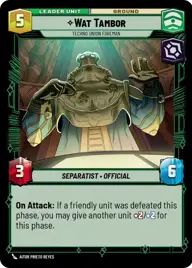
Wat Tambor, Techno Union Foreman

KCM Mining Facility

Decklist


Try on ForceTable

Try on Karabast

Print Proxies

Export to TTS

Export to image

Ground units (36)

2 x
1
Death Star Stormtrooper
2 x
1
Obedient Vanguard
2 x
1
Benthic "Two Tubes"
2 x
2
General Tagge, Concerned Commander
3 x
2
Bo-Katan Kryze, Death Watch Lieutenant
3 x
2
Ryloth Militia
3 x
2
Partisan Insurgent
3 x
3
Huyang, Enduring Instructor
3 x
3
Bold Recon Commando
2 x
4
Hevy, Staunch Martyr
2 x
4
Relentless Rocket Droid
3 x
7
Maul, Shadow Collective Visionary

Space units (12)

3 x
2
Kylo's TIE Silencer, Ruthlessly Efficient
3 x
3
Punishing One, Dengar's Jumpmaster
3 x
3
Star Wing Scout
3 x
6
Ruthless Raider

Events (9)

3 x
1
Precision Fire
2 x
1
Daring Raid
3 x
5
Overwhelming Barrage

0 comments

You must be logged in to add comments.

Print Proxies

Here you can choose the format that the proxies should be printed in. Make sure to support your local game store!

Export to TTS

There are multiple ways to export to TTS. Here, we'll explain how they work and how you can use them.

1. Import as TTS object.

Download the JSON file using the following button. Place this file in your TTS Saved Objects folder. After this, you'll be able to spawn your deck in the Components UI.

Download saved object

2. Import within SWU mod.

Within some of the Star Wars Unlimited mods on TTS, you are able to import a deck by using the Deck Builder. You can import your deck by clicking on the buttom below to copy your json and then paste it in the Deck Builder to spawn your deck.

Copy to clipboard