Rise of The Empire (In-progress)
By Anonymous
Twin Suns
1
$9.71

Chancellor Palpatine, Playing Both Sides

Anakin Skywalker, What it takes to win
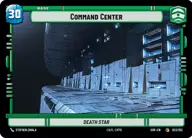
Command Center
Decklist
Leader
1 x
Chancellor Palpatine, Playing Both Sides1 x
Anakin Skywalker, What it takes to winBase
1 x
Command CenterGround units
1 x
332nd Stalwart1 x
Obedient Vanguard1 x
Soldier of the 501st1 x
Coruscant Guard1 x

Separatist Commando1 x
Echo, Valiant ARC Trooper1 x
OOM-Series Officer1 x
Clone Heavy Gunner1 x
Phase I Clone Trooper1 x
Padmé Amidala, Pursuing Peace1 x
B1 Security Team1 x
Superlaser Technician1 x
Battle Droid Escort1 x
Republic Commando1 x
Batch Brothers1 x
Droid Commando1 x
Phase II Clone Trooper1 x
Super Battle Droid1 x
General's Guardian1 x
Dwarf Spider Droid1 x
Anakin Skywalker, Maverick Mentor1 x
Tactical Droid Commander1 x
Clone Commander Cody, Commanding the 212th1 x
Patrolling AAT1 x
B2 Legionnaires1 x
Captain Rex, Lead by Example1 x
Low Altitude Gunship1 x
Heavy Persuader Tank1 x
Emperor Palpatine1 x
Hailfire Tank1 x
AT-TE Vanguard1 x
Count Dooku, Fallen Jedi1 x
Baktoid Spider Droid1 x
Battle Droid LegionSpace units
1 x
Droid Starfighter1 x
Anakin's Interceptor, Where the Fun Begins1 x
Elite P-38 Starfighter1 x
Imperial Interceptor1 x
Resolute, Under Anakin's CommandEvents
1 x
Force Lightning1 x
Force Choke1 x
Grenade Strike1 x
Droid Deployment1 x
Open Fire1 x
Drop In1 x
In Defense of Kamino1 x
Consolidation of PowerUpgrades
1 x
Droid Cohort1 x
Nameless Valor1 x
Armed to the Teeth1 x
Clone Cohort1 x
Griveous's Wheel Bike